


How To Create A Google Business Profile

Published:
When it comes to being seen on Google search results, it’s easy to think that a website is all you need. That couldn’t be further from the truth, and there are actually many sections of each search result page (SERP).
One section that’s pivotal for local businesses is the Map Pack, which is where Google Business Profile listings are shown.
Previously known as Google My Business, Google Business Profiles are completely free and a vital part of the digital marketing strategy for home services providers such as plumbers, electricians, pest controllers and others, as well as healthcare providers such as plastic surgeons and local shops.
What Are Google Business Profiles?
Google Business Profiles are listings that appear in the Map Pack, which takes users from the main SERP to Google Maps.
These listings appear on local searches, such as ‘pest control near me’, ‘pest control [location]’, or if a user has enabled location tracking on their mobile device and searches for a service or local business.
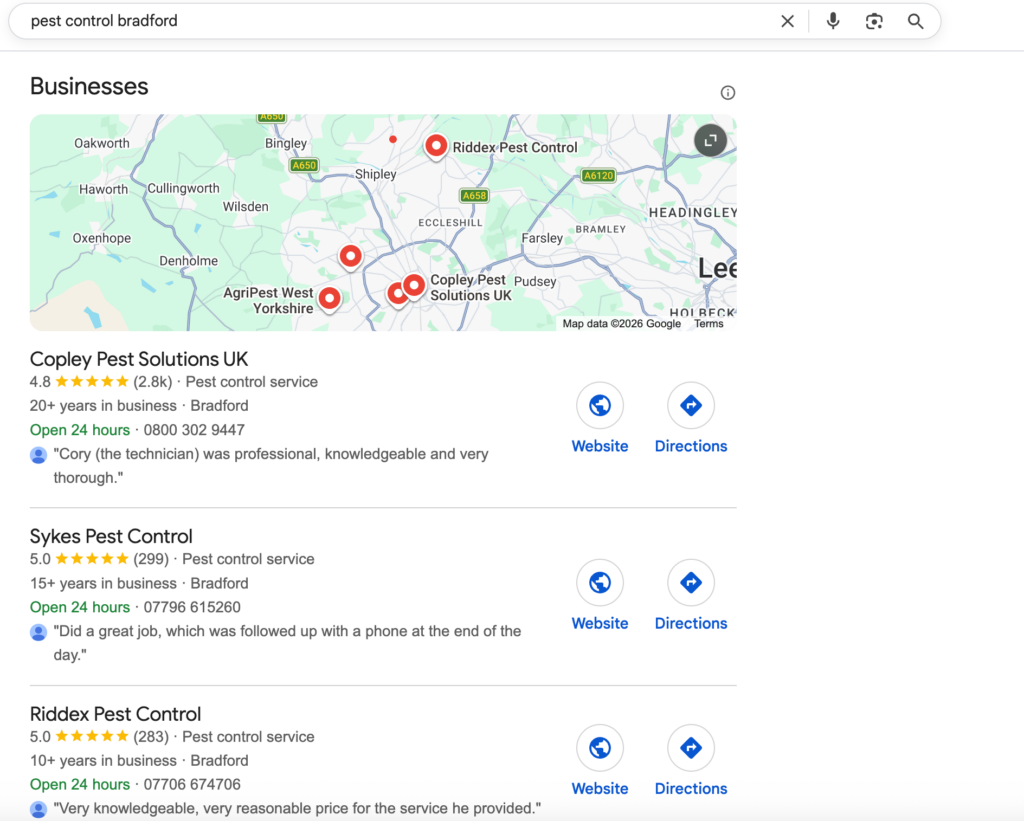
These listings contain basic details including the business name, operating hours, service area and offering, as well as customer reviews.
Why Are Google Business Profiles Important?
Google Business Profiles are important as they are a quick, easy way for potential customers to find local businesses.
With statistics showing that 70% of customers use Google Maps to look for nearby businesses and 70% of these customers are more likely to visit a business with an optimised business profile, it’s clear the these listings are vital.
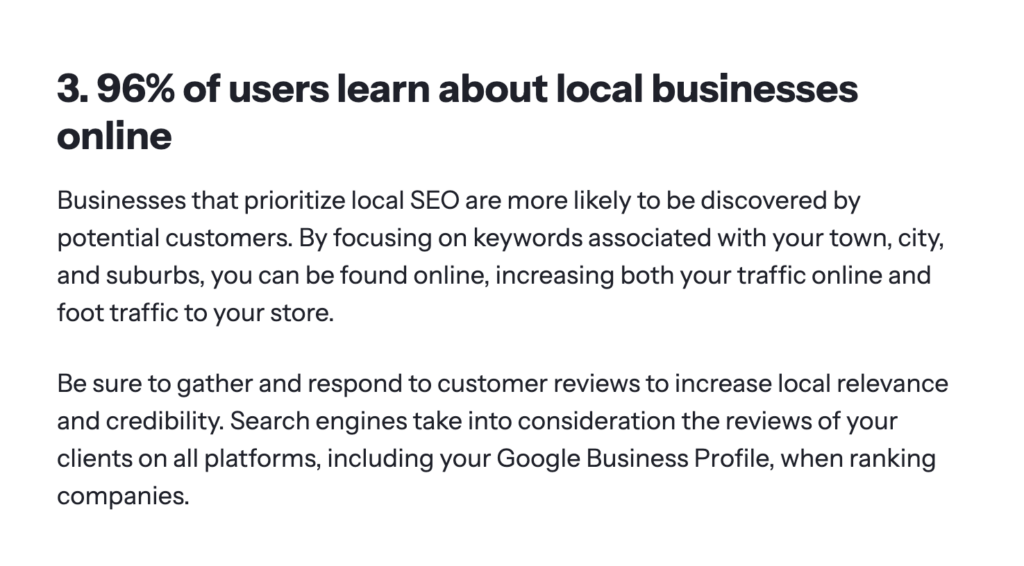
The reason they are so important is because Google Business Profiles display more than just business information. They also showcase ratings based on reviews provided by real customers.
Having strong reviews can help to improve customer engagement, which in turn boosts your rankings and online visibility.
Overall, when fully optimised and kept up to date, a Google Business Profile can help customers find your business, and they can even access your website and contact you through it, making them invaluable for modern businesses.
How To Create A Google Business Profile Step-By-Step
Now you know what a Google Business Profile is and why they’re important, here’s how to create a Google Business Profile or claim an existing profile.
Sign In To Google
The first step is to sign in to your Google Account. If you don’t already have a Google Account, you’ll need to create one to be able to access and manage your Google Business Profile.
Find Or Create Your Listing
The next step is either to find or create a Google Business Profile. For starters, check if there already is one for your business.
Sometimes, if multiple Google users visit a certain place, Google will automatically add a listing, which you will need to claim.
To do this, simply search for your business in your local area. If you see a listing with a Google Streetview image of your store front or street, that uses your business name and address, then you can click on the profile and select ‘Own this business?’.
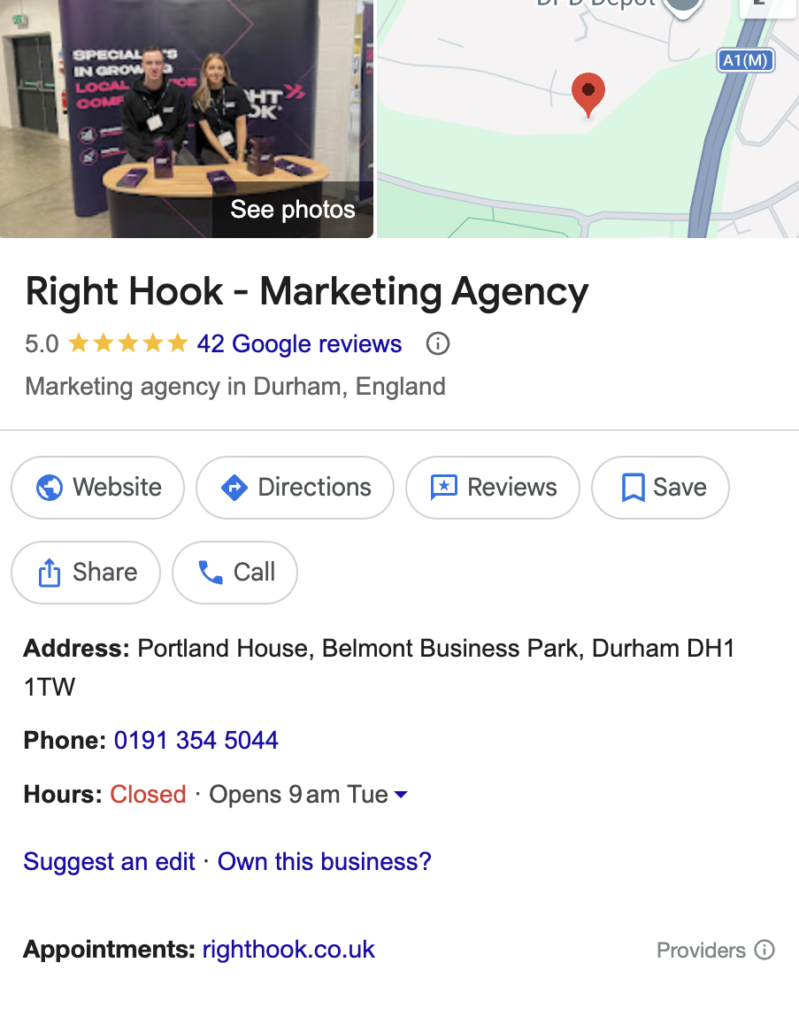
If there is no listing for your business, you’ll need to create one. You’ll need to visit the Google Business Profile site and follow the directions.
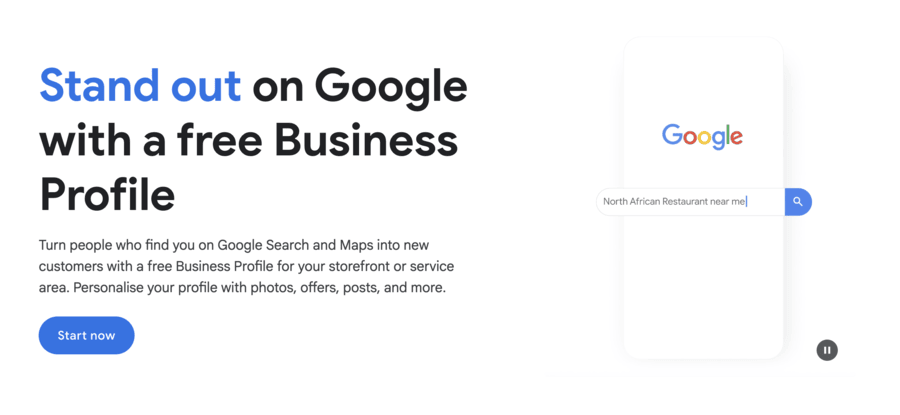
When you type your business name in, you’ll see Google suggest businesses with listings that already exist. If you find an existing profile, you can claim this, but if not you can create a new one.
Choose Your Main Business Category
As part of the business profile creation process, you’ll be asked to choose your main business category. This is the primary business category you want your organisation to be listed under.
It’s important you choose the main service that your business offers. As you type, you’ll see suggestions appear, and you’ll need to select one of these existing categories.
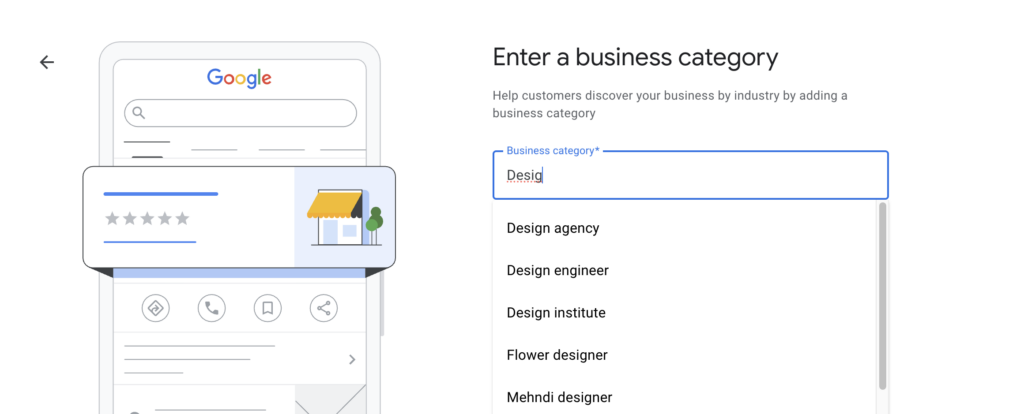
While you can change this later, it pays to get it right the first time, so if you’re unsure, check what your competitors in the same industry have listed as their primary category.
Add An Address Or Service Area
There are 2 types of Google Business Profile. Some have fixed business addresses, such as shops or warehouses. These premises need to be open to the public or a valid physical location that is exclusively for the use of your business.
Using a home address could get your profile suspended. If you don’t have a physical location for your business, then you can create a service area business profile. This is ideal for service providers who travel to visit customers, such as trade businesses.
Select the address you work from, or at the start choose ‘create a service area business’. You can then select the service area you cover by typing in the area and clicking on the location when it comes up.
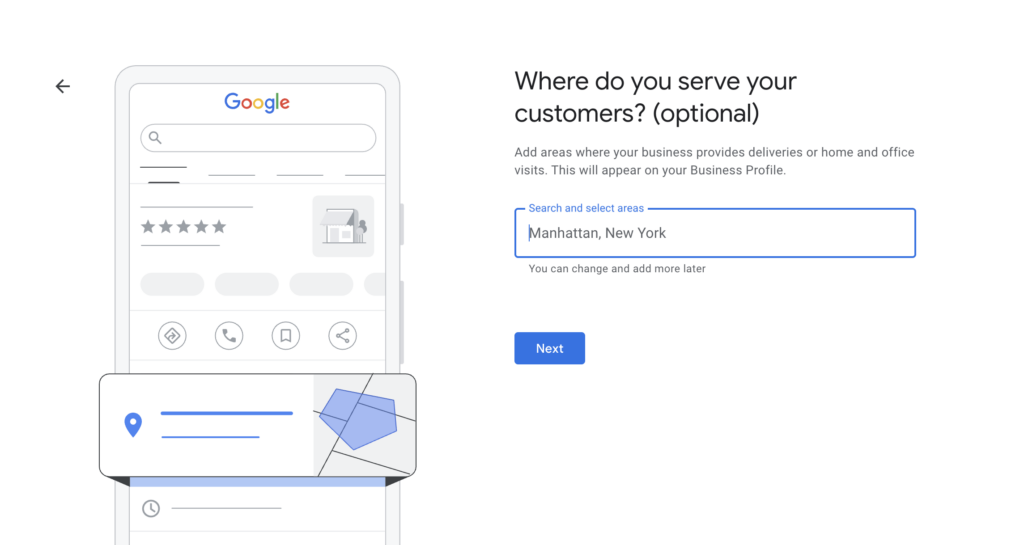
Enter Your Business Details
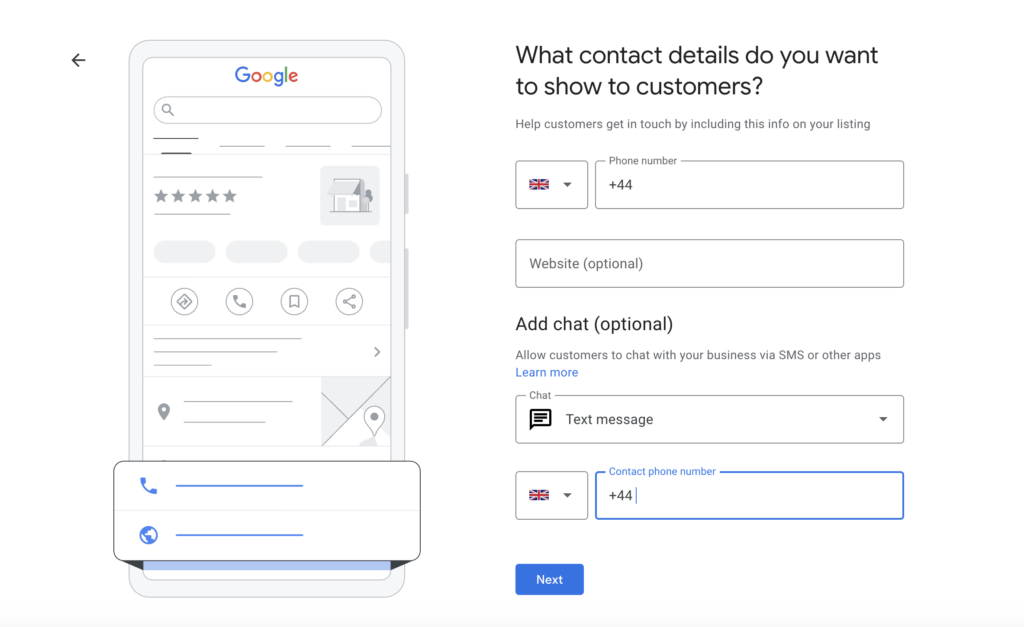
You’ll be asked to add contact details to your profile, which will help improve customer engagement and make the profile more informative.
Provide the main phone number and website URL to get the listing started. You can add more details during the optimisation process.
How To Verify Your Google Business Profile Listing
Whether you claim or create a Google Business Profile, you’ll be asked to go through the verification process to prove that you own the listed business or have the right to manage the profile.
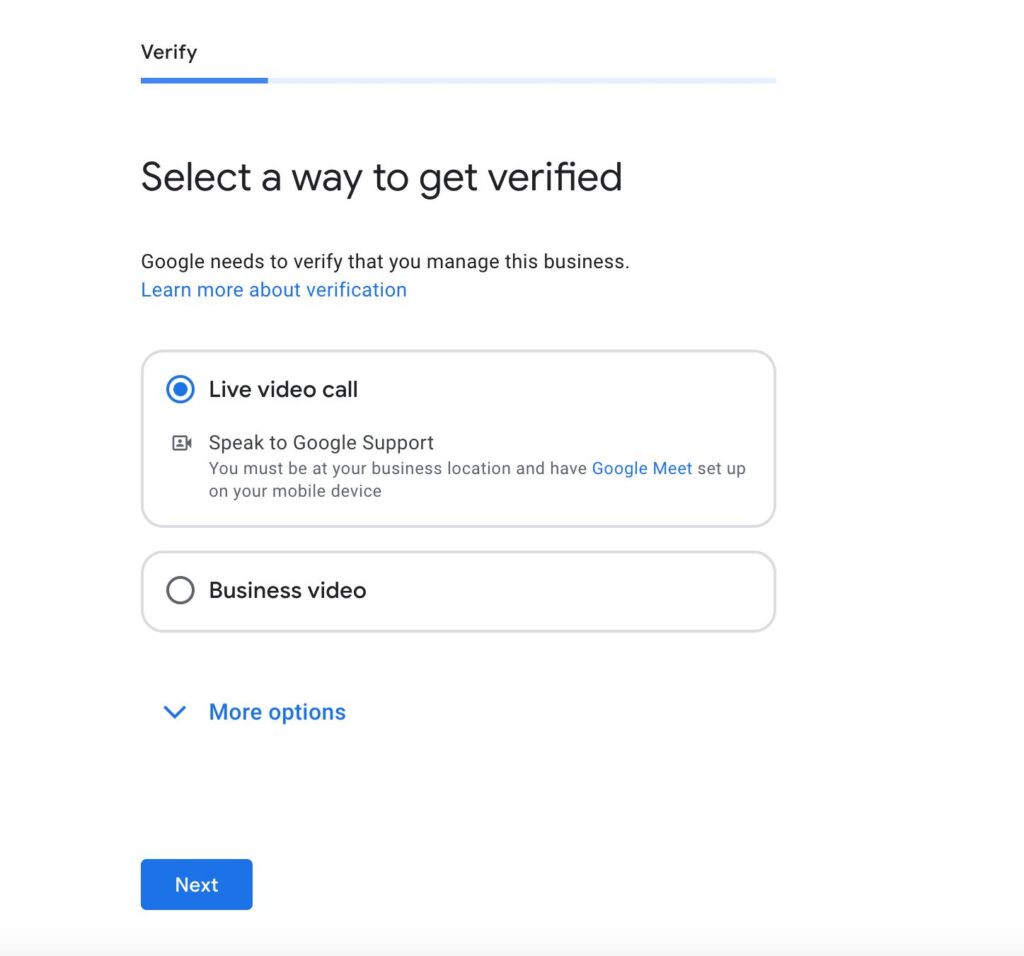
This can be done in a number of ways, and usually involves a video verification process, where you need to take a video showing your business premises, signage and your right to manage the business.
You may also be able to do live verification, where you join a video call with a member of Google’s verification team and show them everything they need to see to prove you own the business.
This process is slightly different for service area businesses, as you will have to show signs for the area instead of a business premises.
Some businesses may be able to get instant verification by getting a text message sent to their phone number.
How To Optimise Your Google Business Profile Listing
Once you’ve created and verified your Google Business Profile, you can start optimising it to give it the highest possible chance of ranking against your competitors. Here are some tips and tricks to help you make the most of your listing.
Check Your Competitor’s Listings
When optimising your business listing, you should look at your competitors and see what they do. They might have added categories you haven’t, or included longer business hours to keep their profile ranking throughout the day.
To start, carry out a Google search for the service you offer, as these are the terms your target audience will be searching. Check out the top search results on the Map Pack and see what they’re doing, and if you can emulate their tactics for your business profile.
Make Sure All Relevant Fields Are Filled In
Once your business profile is verified, you’ll notice additional sections you can fill in. These include your business description, business categories, opening date, operating hours and social profiles.
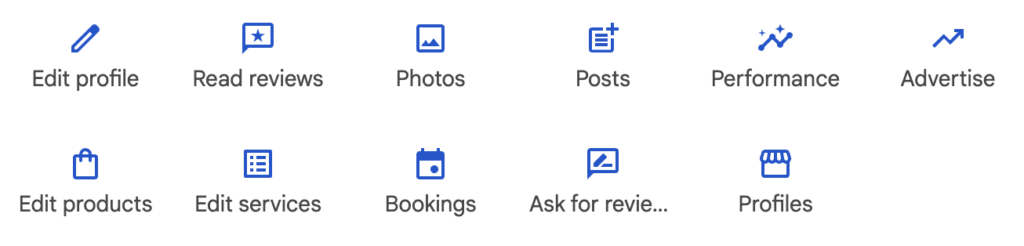
Go to ‘Edit Profile’ and fill in every section accurately, so you can show as much information as possible to potential customers.
For the business description, you get 750 characters to outline your business, so share information that isn’t already listed on the profile, and be clear and concise. Try to include some keywords where possible; you can find these using free SEO tools.
Upload New Photos And Videos
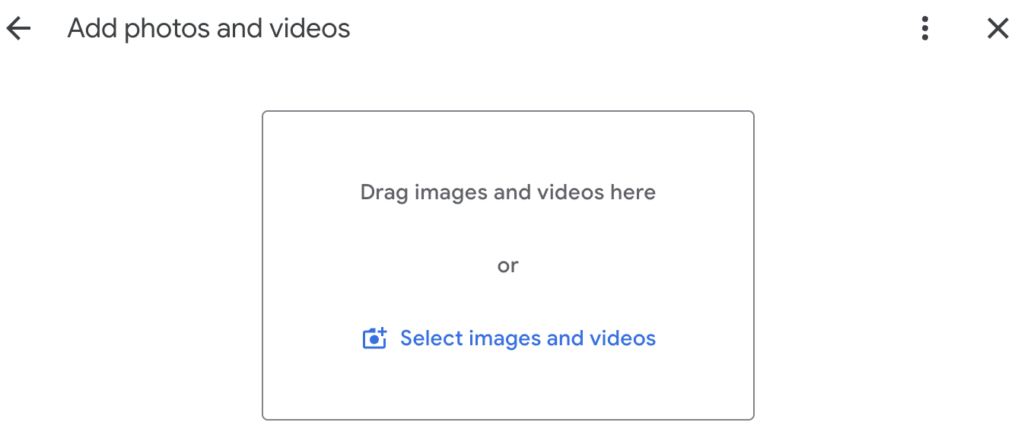
Adding images and videos can make your Google Business Profile stand out and showcase your work to your potential customers.
Initially, add a few images, including a logo and cover photo, and some of branded vans, staff and examples of your work. Videos can be 30 seconds or less.
Make sure you check Google’s guidelines, and ensure you have the right to use all the images you share.
A Google Business Profile isn’t something you create and then leave. If you don’t regularly update it then it will drop in rankings and won’t generate strong customer interaction.
As such, you should try to update the photos and videos regularly, and keep the profile information accurate.
Consider adding photos and videos every few weeks, to ensure your profile is always up to date and showcases your recent work.
Share Regular Posts
Google Business Profile posts can be an ideal way to share updates or deals with your potential customers.
These updates are shown on the profile and can increase user engagement, which is a key ranking factor.
Consider making at least 1 post a month, if not more. A simple strategy could be to upload a post every time you share one on social media.
You can easily repurpose the content to keep your business profile active and share updates on your business.
Generate Google Reviews
Google reviews are vital for your business profile, as they showcase real customer feedback and can help users to choose the right company for them.
So, where possible you should try to generate legitimate Google reviews for your listing. If you click on the ‘Ask For Reviews’ button, this will give you a link and a QR code, both of which will take users directly to your Google Business Profile and allow them to leave a review.
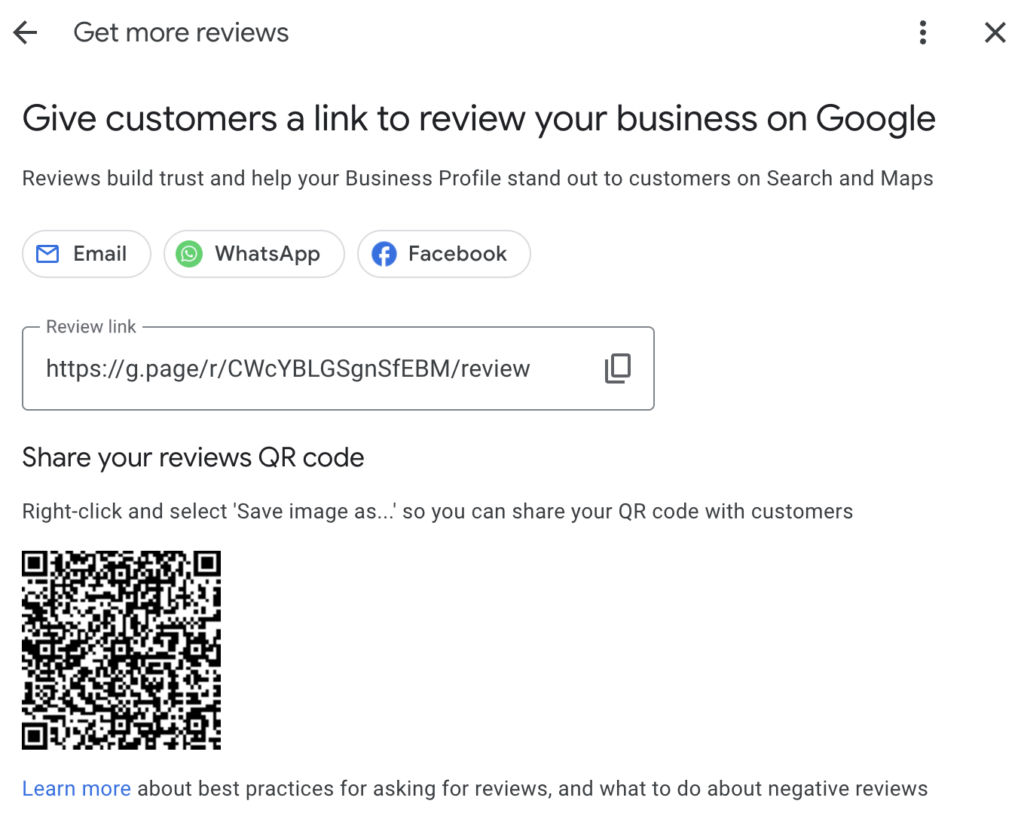
You can share these links with past customers and try putting them on literature, such as menus or leaflets, to encourage reviews.
It’s important that you get genuine reviews from real customers, as any reviews that appear false or to have been purchased will be removed, and your Google Business Profile could be suspended if you break Google’s rules.
If you receive negative reviews, the first thing to do is see if they can be reported. If they’re not genuine, or from a SPAM account, or about another business, you can report them to Google by clicking on the exclamation mark icon next to the reviewer’s name at the top.
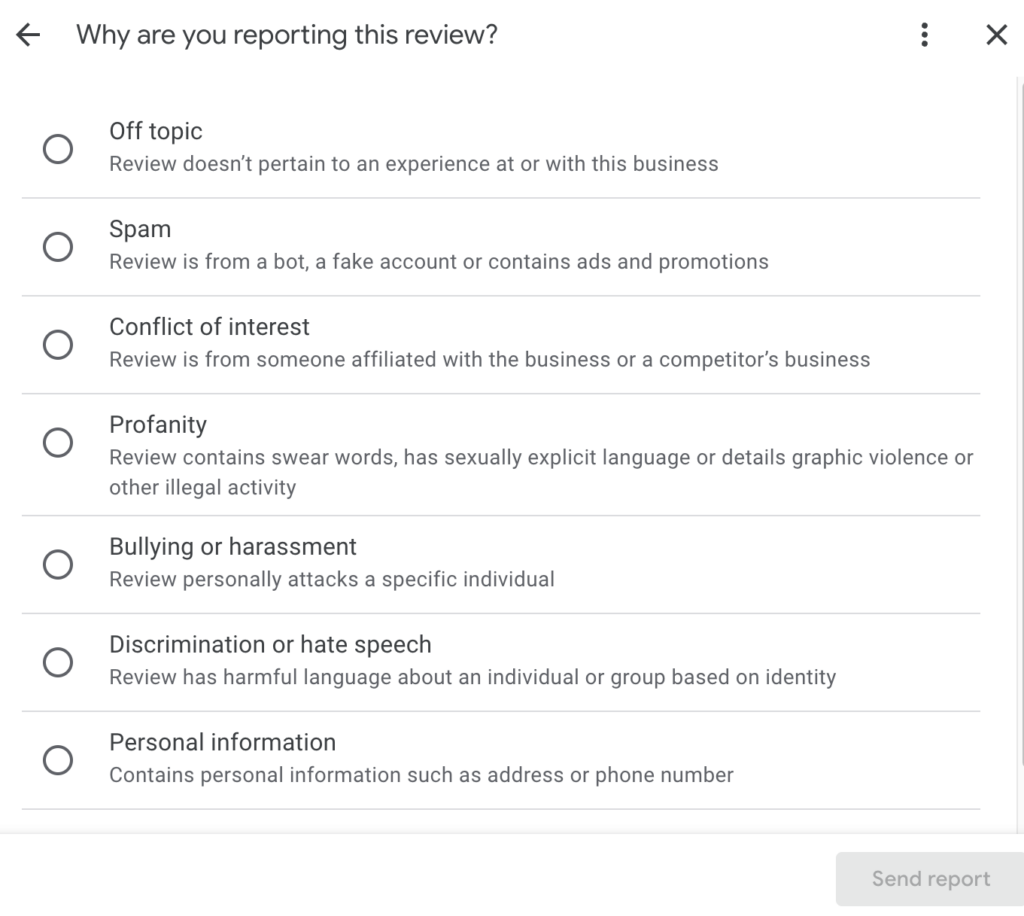
If the review is genuine, or it is not removed by Google after a week, send a polite reply. For genuine bad reviews, try to encourage the reviewer to resolve the problem with your business, so you can earn a more favourable review.
Get Right Hook In Your Corner And We’ll Do All This And More!
Building a Google Business Profile for your business can take time and effort, but it’s a valuable tool for all local businesses.
Google Business Profiles require regular maintenance, and Google has strict rules about what content you can share. If you breach these rules, you may have to reverify your Google Business Profile or make changes and then submit an appeal against your suspension, which can take time.
At Right Hook, our team are experts at managing Google Business Profiles, and can carry out all necessary updates on your behalf as part of our SEO services. If your profile is suspended, we can manage the entire appeal process for you.
We can also manage your Local Service Ads, which require a Google Business Profile and can be a fast, cost-effective way to generate local leads.
Creating and optimising your Google Business Profile is just one part of your business’s SEO strategy. To ensure you build a strong online presence for your organisation, you also need website development and branding support to build a strong online presence for your business.
Just building and maintaining your profile is hard enough, which is why Right Hook has you covered on all aspects of your digital marketing. If you’re ready to see how we can save you time and drive leads, book a call with Right Hook today.

Article by:
Matthew Smith
Helping local service companies grow is my speciality! I thrive on getting results through my specifically tailored 3-part framework. I absolutely adore working with my favourite clients who provide services in specific local areas and work in niches such as pest control, dentistry, plumbing, dog training, and cosmetic surgery. All these companies needed was a little guidance to unlock the full potential of search marketing and to maximise their success.